





In our digital-first world, screens surround us everywhere – from the smartphone in your pocket to the massive advertising displays in stadiums. When it comes to display technology, two names dominate the conversation: LCD (Liquid Crystal Display) and LED (Light Emitting Diode). But what exactly sets them apart?
The fundamental difference comes down to how they produce light. LCD screens use liquid crystals that block or allow light from a separate backlight source, while LED displays contain tiny light-emitting diodes that generate their own illumination, resulting in brighter images and better energy efficiency.
This comprehensive guide will walk you through everything you need to know about LCD and LED technology, helping you make an informed decision for your next display purchase.
In This Article

Understanding LCD Displays: The Classic Screen Technology
What is LCD Display?
Liquid Crystal Display (LCD) is a flat, ultra-thin display device widely used in various electronic devices. It displays images by liquid crystals – materials that can change their properties when electricity is applied, these crystals don’t produce light themselves but act like tiny shutters, controlling how much light passes through from a backlight source.
The beauty of LCD technology lies in its efficiency, and creates sharp images without the “burn-in” problems that plagued older technologies. Therefore, it is widely used in computer monitors, televisions, mobile phones, tablet computers, and other fields.
How LCD Technology Actually Works?
Imagine a sandwich with liquid crystals in the middle. When electricity flows through, these crystals twist and turn, either blocking light or letting it pass through color filters. Each tiny area (pixel) can be controlled individually, creating the images you see on screen.

Key Components of LCD Displays
•Backlight Unit: The light source behind the screen (modern LCDs use LED backlights)
•Liquid Crystal Layer: The heart of the display that controls light passage
•Polarizing Filters: Help control light direction for clearer images
•Color Filters: Create the red, green, and blue colors that mix to form all other colors
•Control Electronics: Precisely manage each pixel’s behavior
•Driver Circuit: It receives signals from an external source and converts them into voltage signals that drive the liquid crystal molecules.
Key Advantages
✓ Slim and lightweight design
✓ Energy efficient operation
✓ Long lifespan with no image retention
✓ Sharp, high-resolution images
Limitations
✗ Limited viewing angles
✗ Slight motion blur in fast action scenes
✗ Less perfect black levels due to constant backlight
LED Displays: The Modern Lighting Revolution
What is LED Display?
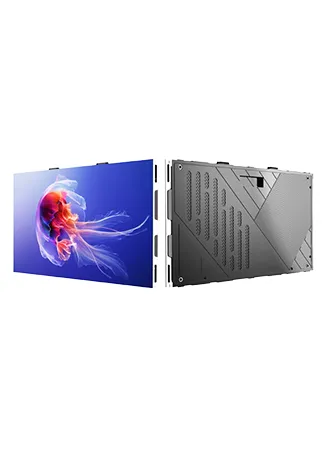
LED displays represent the next generation of screen technology. Instead of filtering light like LCDs, each tiny LED pixel creates its own light. This self-illuminating approach delivers superior brightness, deeper blacks, and more vibrant colors.
How LED Screens Create Images?
Each LED is like a microscopic light bulb that can be turned on or off individually. By controlling thousands or millions of these tiny lights with precision timing, LED displays create stunningly clear images with exceptional contrast.

LED Display Structure Breakdown
•Pixel Units: Individual light-emitting diodes arranged in grids
•Control Systems: Smart chips that manage brightness and color
•Power Management: Efficient systems that minimize energy use
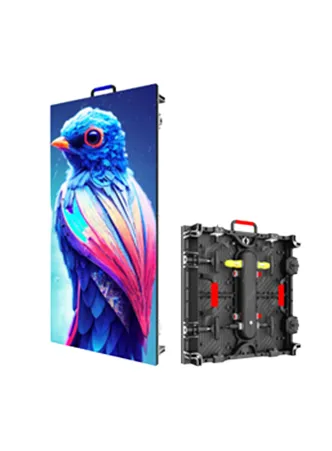
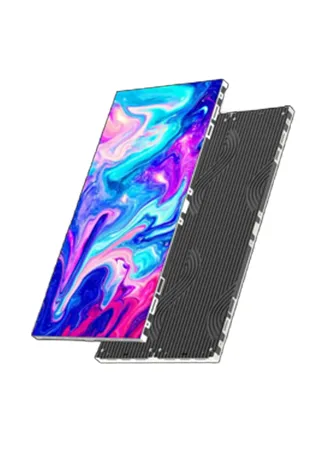
•Modular Design: Allows for flexible sizing and custom shapes
•Protective Housing: Durable frames for indoor and outdoor use
LED Benefits:
✓ Incredible brightness even in sunlight
✓ Flexible sizing from small signs to massive video walls
✓ Exceptionally long lifespan
✓ Outstanding energy efficiency
Limitations
✗ Higher initial cost for premium models
✗ Resolution varies with viewing distance for large displays
✗ More complex installation requirements
Key Differences: LCD vs LED Face to Face
1. Light Source Technology LCD: Uses external backlight with liquid crystal filters LED: Self-emitting pixels create their own light
2. Image Quality Comparison LED displays consistently deliver better contrast with truer blacks and more vibrant colors. LCD screens can show some light bleed around edges, making blacks appear grayish.
3. Energy Efficiency LED technology uses significantly less power, especially important for large displays or continuous operation. LCDs require more energy to maintain consistent backlighting.
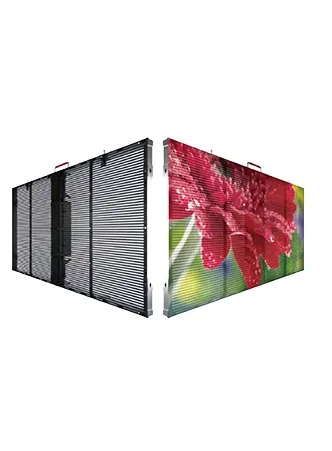
4. Design Flexibility While LCD panels come in standard sizes, LED displays can be customized into virtually any shape or size, from curved walls to transparent screens.
Comparison Table at a Glance:
| Feature | LCD Display | LED Display |
| Light Source | Separate backlight | Self-emitting pixels |
| Brightness | Good for indoor use | Excellent for all conditions |
| Black Levels | Good | Exceptional |
| Energy Use | Moderate | Highly efficient |
| Thickness | Standard thickness | Ultra-slim options |
| Color Quality | Very good | Outstanding |
| Lifespan | Long | Extremely long |
| Cost | Budget-friendly | Premium investment |
| Best For | Home and office use, small devices | Billboards, Stadiums, Signage, Commercial Applications |
In conclusion, the difference between LCD and LED display is primarily in light emission, image quality, energy efficiency, and flexibility. For businesses and events seeking high performance, scalability, and superior visual impact, LED displays offer a more advanced and versatile solution.
Real-World Applications: Where Each Technology Shines
When comparing LCD and LED displays, application scenarios highlight key differences. LCD technology remains dominant in small personal devices like smartphones and monitors, while LED displays excel in large commercial settings such as digital billboards and public venues, offering superior brightness and scalability.
LCD Display Applications
•Everyday Electronics: Perfect for laptops, tablets, computer monitors, and smartphones where cost-effectiveness matters most.
•Home and Office: Ideal for environments where screens are viewed straight-on and lighting is controlled.
•Basic Digital Signage: Great for indoor information displays and retail price tags.

LED Display Applications
•Outdoor Advertising: Billboards and building wraps that need to be visible in direct sunlight.
•Retail Experiences: Engaging store displays that capture customer attention with vibrant visuals.
•Entertainment Venues: Stadium scoreboards, concert screens, and event displays that demand impact.
•Transportation Hubs: Airport and train station displays that need to be readable from any distance.
•Creative Installations: Museum exhibits, trade show displays, and architectural integrations.

Choosing Between LCD and LED: Your Decision Guide
1. Consider Your Image Quality Needs If you prioritize deep blacks and vibrant colors for visual impact, LED is your best choice. For general viewing where cost matters more, LCD works perfectly.
2. Think About Your Space LED’s flexibility allows for custom sizes and shapes, while LCD comes in standard dimensions. Consider your installation space and viewing angles.
3. Evaluate Lighting Conditions LED performs brilliantly in bright environments, while LCD works best in controlled lighting situations.
4. Calculate Long-Term Value While LCD has lower upfront costs, LED offers better energy savings and longevity for continuous use.
5. Match Technology to Your Purpose Home entertainment? LCD often suffices. Business advertising? LED delivers superior results.
Which Technology Wins? LCD vs LED Verdict
For personal use like home TVs and computer monitors, LCD technology provides excellent value and performance. However, when it comes to commercial applications, advertising, or situations requiring maximum visual impact, LED displays clearly outperform their LCD counterparts.
The right choice depends entirely on your specific needs, budget, and application requirements.
Final Thoughts
Both LCD and LED technologies have their place in today’s display landscape. LCD remains the go-to choice for affordable, reliable displays in personal and office settings. LED technology delivers premium performance for commercial applications where visual impact, flexibility, and longevity matter most.
When making your decision, consider your primary use case, budget constraints, and the specific performance characteristics that matter most to your situation. Whether you choose LCD or LED, understanding these fundamental differences ensures you’ll select the perfect display technology for your needs.
If you would like to know more our Led screen information and pricing, please contact us!
Ever tried filming a subject in front of a massive LED wall, only to watch the background turn into a flickering, kaleidoscopic mess?Welcome to the world of LED‑wall shooting – where camera timing and display timing often clash, producing either pulsing “strobe” or the infamous moiré pattern.

In this guide we will:
1.Explain why LED walls are prone to visual artifacts.
2.Describe the two most common problems: stroboscopic effect and moiré.
3.Provide concrete solutions, both technical and practical.
4.Share professional tricks and a step‑by‑step troubleshooting workflow.
In This Article
- Why LED Walls are Troublemakers
- Stroboscopic Effect: The Unwanted Light Show
- Moiré Pattern: The Interference Nightmare
- Solutions: How to Fight Back
- Advanced Techniques and Professional Tricks
- Troubleshooting Workflow: Your Step-by-Step Guide
- Future Developments: What’s Coming Next
- Real-World Application Examples
- Conclusion: Your Journey to LED Wall Mastery
Why LED Walls are Troublemakers
An LED wall is a giant grid of light‑emitting diodes (LEDs). The wall’s refresh rate (how many times the grid updates per second) and the camera’s frame rate (how many frames it captures per second) are independent timing systems. When the two frequencies are close but not perfectly aligned, the result is either:
• a rapid pulsing or “strobe” of the background (stroboscopic effect), or
• a set of new wavy or pixelated patterns (moiré).
Think of it as two drummers beating at slightly different tempos—instead of harmony you get visual noise.
Stroboscopic Effect: The Unwanted Light Show
What is Stroboscopic Effect?
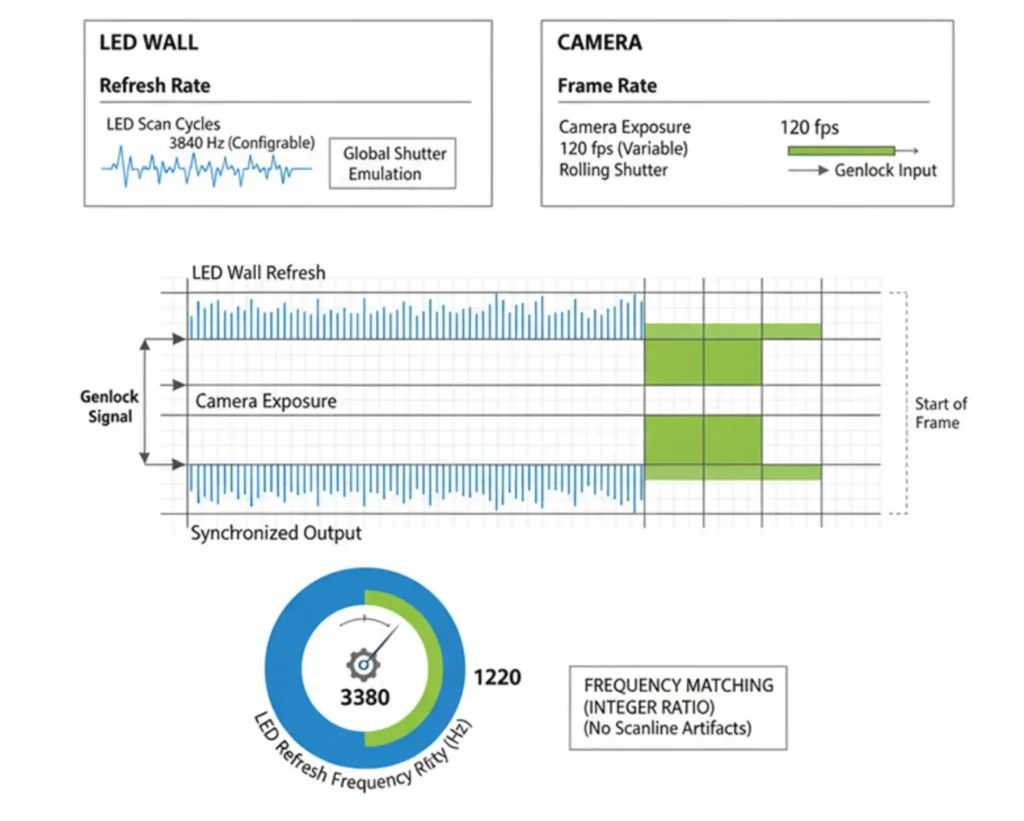
The stroboscopic effect appears when the camera captures the LED wall during its “on/off” cycles. If the camera’s shutter samples a mix of “on” and “off” states.
The LED wall doesn’t actually display content continuously; it refreshes rapidly, typically 50-60 times per second (or faster). Your camera also takes pictures at specific intervals, usually 24, 30, or 60 frames per second. When these two frequencies don’t align perfectly, you get the visual equivalent of two metronomes ticking at slightly different speeds – the result is a pulsing or flickering effect that can make the entire wall appear to strobe or flicker.
Why Does This Happen?
LED walls use a technique called PWM (Pulse Width Modulation) to control brightness levels. Instead of varying the voltage, they turn the LEDs on and off very quickly, with the ratio of “on” time determining how bright each LED appears.
Think of it like trying to photograph a blinking light with a camera. If you catch it while it’s on, it’s bright. If you catch it while it’s off, it’s dim. If you catch it right as it’s transitioning, you get inconsistent brightness across the frame. Now multiply this by millions of LEDs, and you can see why things get complicated.
Moiré Pattern: The Interference Nightmare
What is Moiré Pattern?
Moiré is an interference pattern created when two periodic grids—
In LED wall shooting, moiré patterns occur when your camera’s sensor grid (the pixel array) interacts with the LED wall’s grid structure. Both are essentially repeating patterns of light and dark areas, and when they don’t align perfectly, they create new patterns that can make the wall appear to have wavy, swirling, or even pixelated effects that weren’t there in the original content.
The Mathematics Behind the Madness
Moiré is a manifestation of beat frequency: the difference between two spatial frequencies (the camera’s pixel pitch and the wall’s LED pitch). When two frequencies are close but not identical, they create a new frequency that’s the difference between them.
When your camera’s pixel pitch (the distance between pixels on your sensor) is roughly 1-3 times the LED pitch (the distance between LEDs on the wall),the interference becomes strongest, you’re in the danger zone.
Solutions: How to Fight Back
Below is a consolidated toolbox. Choose the combination that works best for your setup.
Tackling Stroboscopic Effects
| Method | How it works | Tips |
| Frame‑rate alignment | Match your camera’s fps to the wall’s refresh rate (e.g., 60 Hz → 60 fps; 30 fps if the wall can sync). | Verify the actual refresh rate; some walls can output multiple rates depending on content. |
| Shutter speed (narrower angle) | Shorten exposure so each frame sees a single LED state. | Expect higher ISO or more lighting to compensate. |
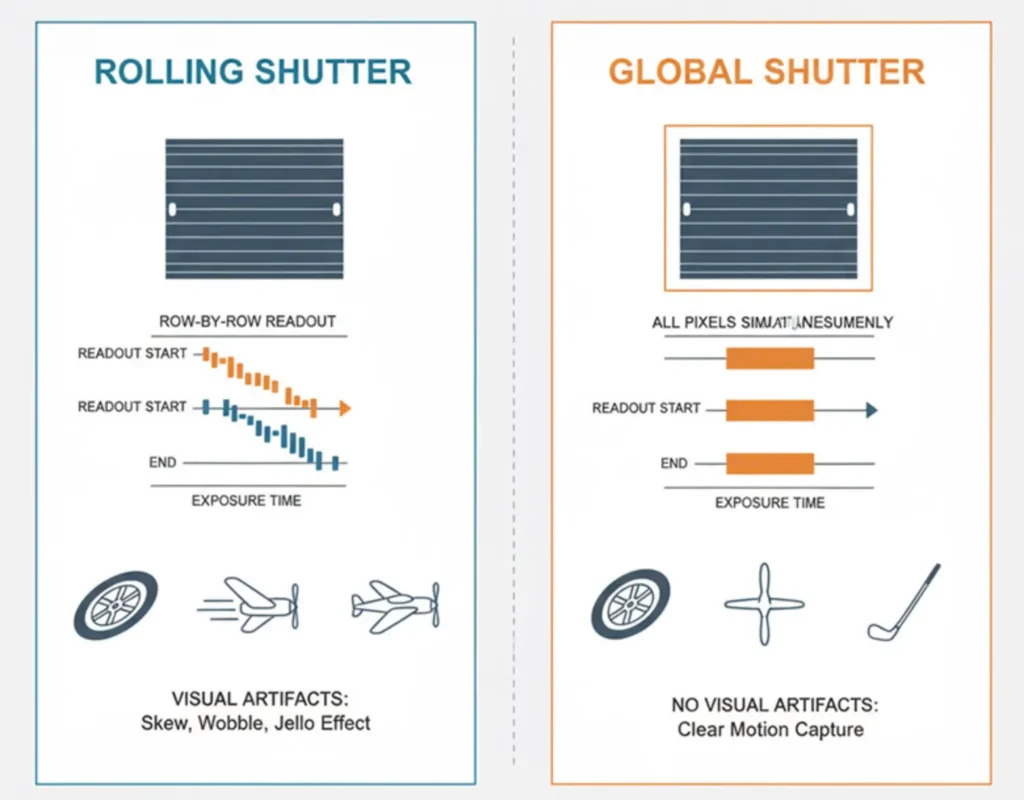
| Global‑shutter cameras | All pixels are read simultaneously, reducing “mixing” of LED states. | They are costlier but often worth it for critical shoots. |
| Readout modes (ERS/rolling‑shutter optimization) | Some cameras offer faster sensor readouts that can “skip” problematic cycles. | Check your camera’s menu for “fast readout” or “electronic shutter” options. |
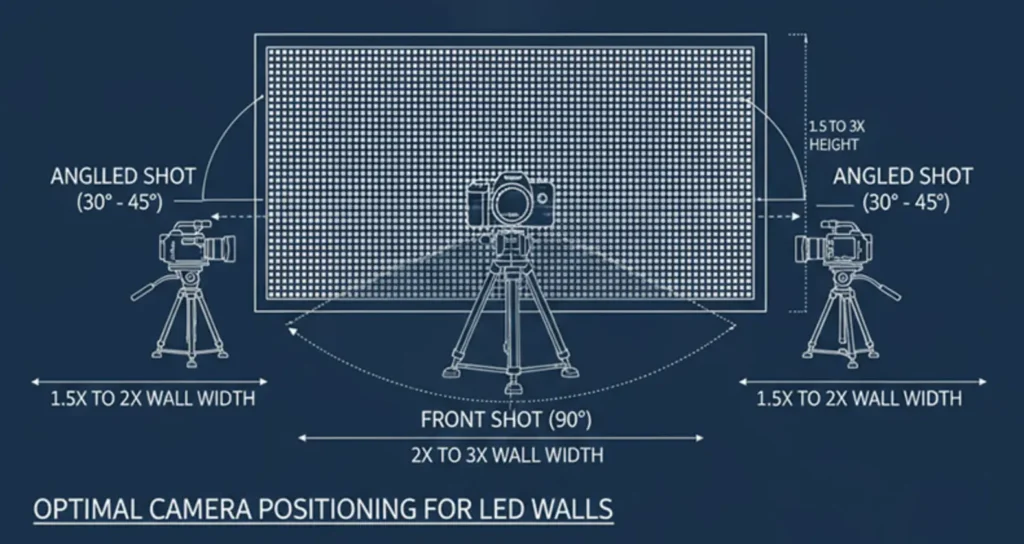
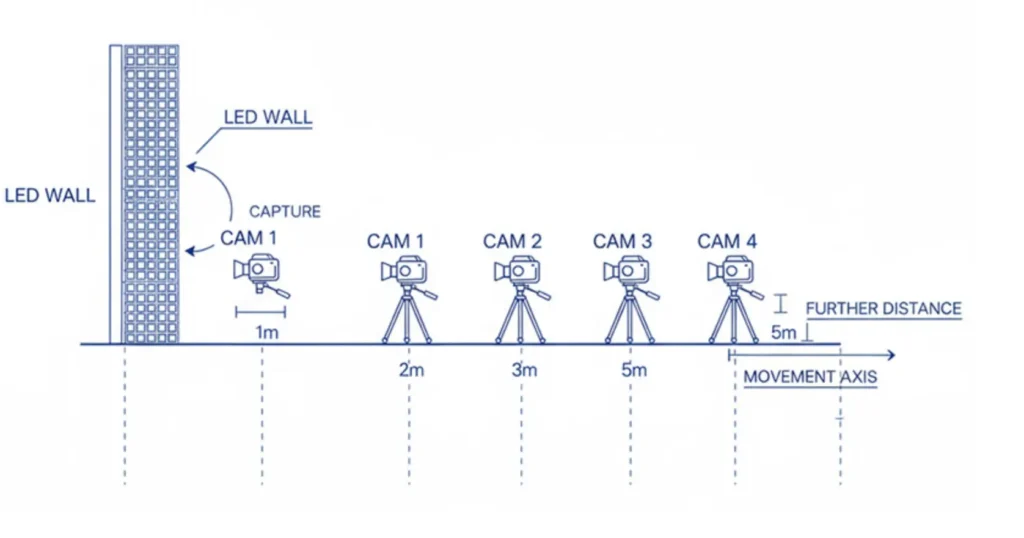
| Increase distance & angle | Greater camera‑wall separation reduces the proportion of the wall within the sensor’s field of view, lowering the chance of timing clashes. | A few extra meters can make a dramatic difference. |
| ND filters / aperture tweaks | Minor optical attenuation can dampen flicker without changing timing. | Use sparingly; they may reduce overall brightness. |
Conquering Moiré Patterns
| Method | How it works | Tips |
| Adjust distance & angle | Small changes (a few centimeters or a slight rotation) move the sensor‑grid relationship out of resonance. | Test incrementally; results can vary dramatically across inches. |
| Light defocus (slight out‑of‑focus) | A small focus blur smooths the interference pattern without softening the subject. | Keep blur minimal; over‑defocus can make the wall look hazy. |
| Pixel‑shift or sensor‑shift | Shifting the sensor (or using pixel‑shift technology) changes the sampling lattice relative to the LED grid. | Useful on high‑end mirrorless/DSLR models that support this. |
| Resolution mismatch | Choose a camera whose pixel count does not divide evenly into the wall’s pixel count (or vice‑versa). | If the wall is 1920×1080, a 24‑MP sensor often avoids the 1:1 ratio. |
| Dedicated “camera‑friendly” mode | Some LED walls have a mode that switches the PWM frequency to a pattern less likely to cause interference. | Expect a slight drop in color fidelity; test before shooting. |
Advanced Techniques and Professional Tricks
The Sweet Spot Method
Professional cinematographers often locate a sweet‑spot distance—a location where both stroboscopic and moiré artifacts are minimized. Achieving it typically requires a few test shots, but the result can differ markedly from positions just a few inches away.
Electronic Solutions
LED‑wall camera‑friendly presets – many manufacturers offer “broadcast” or “studio” modes that modify PWM and refresh patterns.
Real‑time synchronization – some high‑end systems can lock the wall’s refresh to the camera’s frame timing (e.g., Genlock or PTP), eliminating flicker outright.
Lighting Balance
Use additional lights (softboxes, panels, or reflectors) to blend with the wall’s own illumination. Balancing the overall exposure reduces the perceived impact of any residual strobe or moiré, especially when the wall’s content is dynamic.
Troubleshooting Workflow: Your Step-by-Step Guide
| Step | Action | What to Look For |
| 1️⃣ Pre‑shoot assessment | Review wall specs: refresh rate (Hz), pixel pitch, available “camera‑friendly” modes. | Note whether the wall can switch to 60 Hz, 50 Hz, 120 Hz, etc. |
| 2️⃣ Test shots | Shoot at various fps/shutter combos (e.g., 24 fps + 1/48 s, 30 fps + 1/60 s, 60 fps + 1/120 s). | Observe flicker intensity; choose the setting with the least visible strobe. |
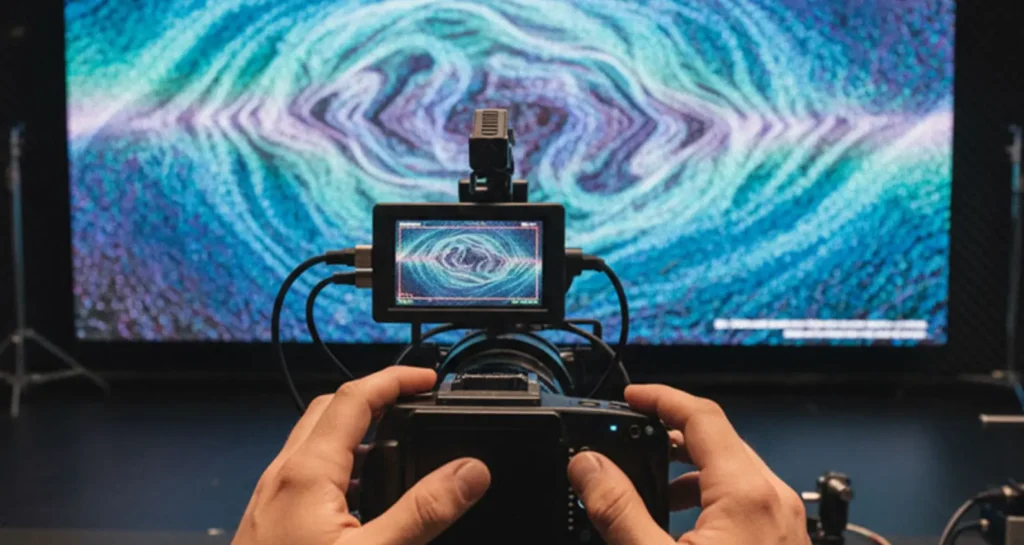
| 3️⃣ Positioning experiments | Start close, then move the camera away; also try slight angles (5–10°). | Note any moiré patterns; keep the subject in focus while adjusting. |
| 4️⃣ Fine‑tuning | Make micro‑adjustments to distance, angle, and focus to minimise both artifacts simultaneously. | Ideally the wall should be smooth, and the subject crisp. |
| 5️⃣ Content check | Verify the wall’s content (fast motion, high‑frequency patterns, solid colors) reacts differently. | For high‑frequency patterns, consider using a slight defocus or a higher‑resolution camera. |
Future Developments: What’s Coming Next
Technology is constantly evolving. We’re seeing LED walls with higher refresh rates, better camera compatibility modes, and systems that automatically adjust based on detected camera settings. Camera technology is also advancing rapidly, with new sensors using sophisticated processing algorithms to minimize electronic artifacts in-camera.
Real-World Application Examples
Event Production: When filming a live concert with LED stage backgrounds, the goal is often to have the audience perceive a seamless visual experience while capturing broadcast-quality footage for streaming or recording.
Corporate Events: LED walls are increasingly common in corporate presentations, where executives might need to be filmed speaking in front of dynamic, branded backdrops.
Film and Television: From futuristic sci-fi scenes to contemporary dramas set in offices or homes, LED walls offer unprecedented flexibility in creating backgrounds that can change instantly.
Conclusion: Your Journey to LED Wall Mastery
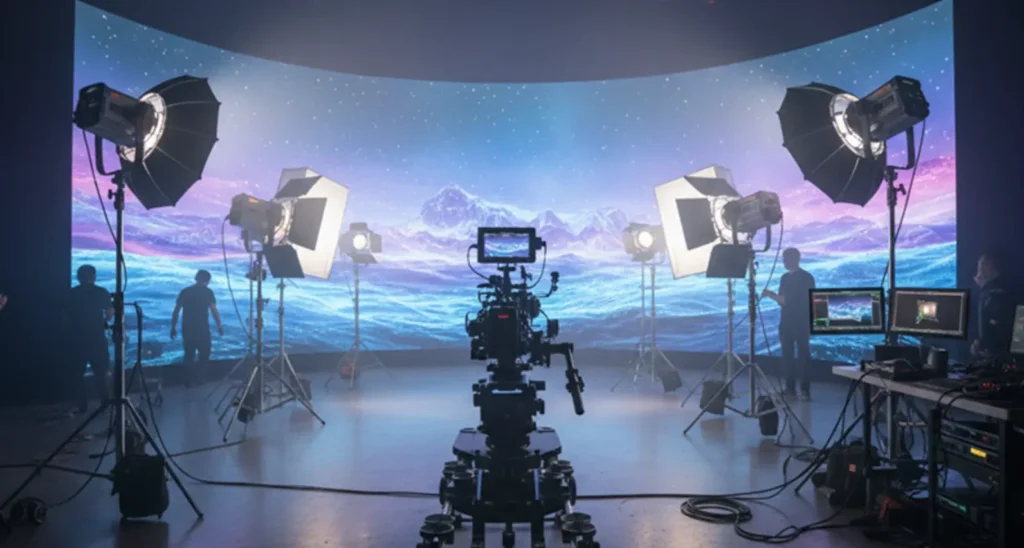
LED wall shooting is fundamentally about understanding the relationship between camera sensors and LED display grids. The technical challenges of stroboscopic effects and moiré patterns require both technical knowledge and creative problem-solving skills.
Key Tkeaways:
• Stroboscopic effects occur when camera frame rates conflict with LED wall refresh rates; solution: match frame rates or adjust shutter speeds
• Moiré patterns result from sensor and LED grid interference; solution: change camera position, angle, or use slight defocus
• Distance is your friend – small positional adjustments can dramatically improve results
• Test extensively – each LED wall setup responds differently to camera settings
Content awareness: Some LED content is inherently more camera-friendly than others
By applying these principles—understanding the timing conflict, applying the appropriate technical fixes, and experimenting with positioning—you can turn LED‑wall shooting from a technical headache into a powerful creative asset.