




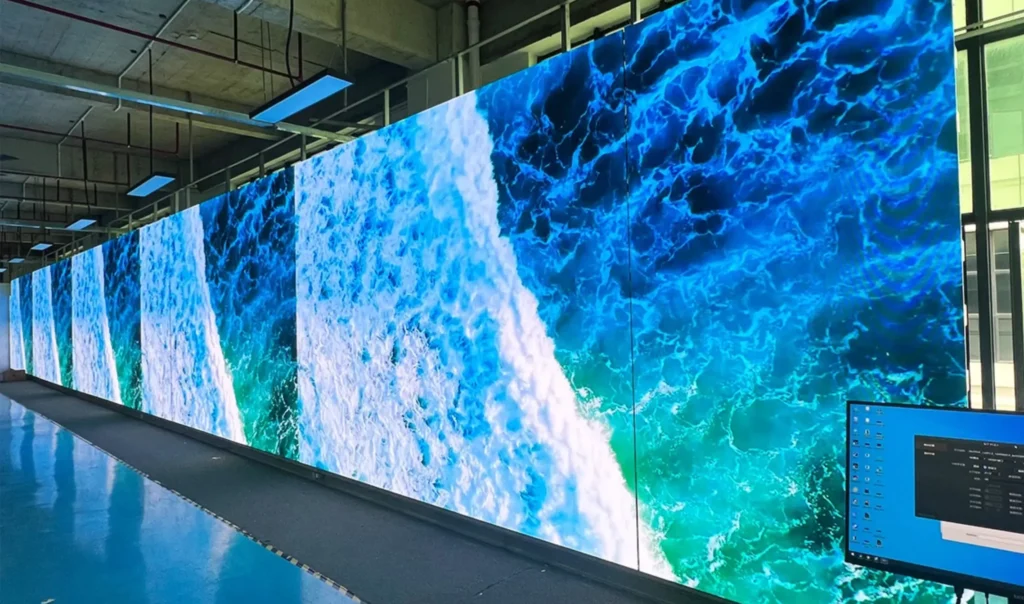
What is a high resolution LED Display (and do you need one)?
High resolution LED displays have become a game-changer in the world of digital screens. These cutting-edge displays are known for their superior image quality, vibrant colors, and exceptional clarity, making them a popular choice across industries. Whether it’s for advertising, entertainment, or delivering crucial information, high resolution LED displays offer unmatched performance and flexibility. But what exactly are they, and why are they so popular?
So what exactly is a high resolution LED display? Why do you need one, and how can it revolutionize the way you present content, run events, or upgrade your workspace?
In this post, I’ll explain everything you need to know about high resolution LED displays. We’ll explore what makes them unique, why they’re gaining popularity, their technical requirements, and how to choose the right one for your needs. Additionally, we’ll delve into their advantages, disadvantages, pricing, and various applications to help you make an informed decision.
Feel free to use the quick links below to jump straight to different sections:
In This Article
- What is a High Resolution LED Display?
- Why Are High Resolution LED Screens So Popular?
- Key Technical Requirements
- What Makes an LED Display “High Resolution”?
- Resolution Standards for High Resolution LED Displays
- High Resolution vs. Low Resolution Displays
- Different LED Technologies for High Resolution LED Displays
- Common Pixel Pitch of High Resolution LED Screen
- Pricing of High Resolution LED Displays
What is a High Resolution LED Display?
A high resolution LED display is an advanced form of digital screen technology that uses light-emitting diodes (LEDs) to create images, videos, and text with exceptional clarity and detail. High resolution, in this context, refers to the density of pixels (tiny light-emitting dots) on the screen, which determines the sharpness and clarity of the images displayed.
Unlike traditional display technologies, LED displays offer remarkable brightness, vibrant colors, and the ability to scale to virtually any size, making them ideal for both indoor and outdoor applications.
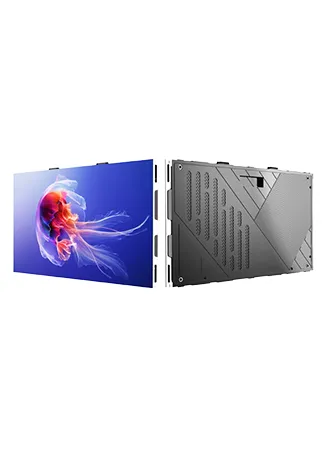
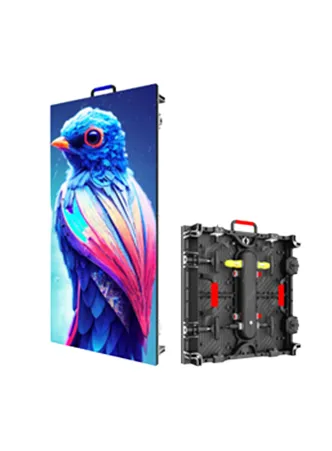
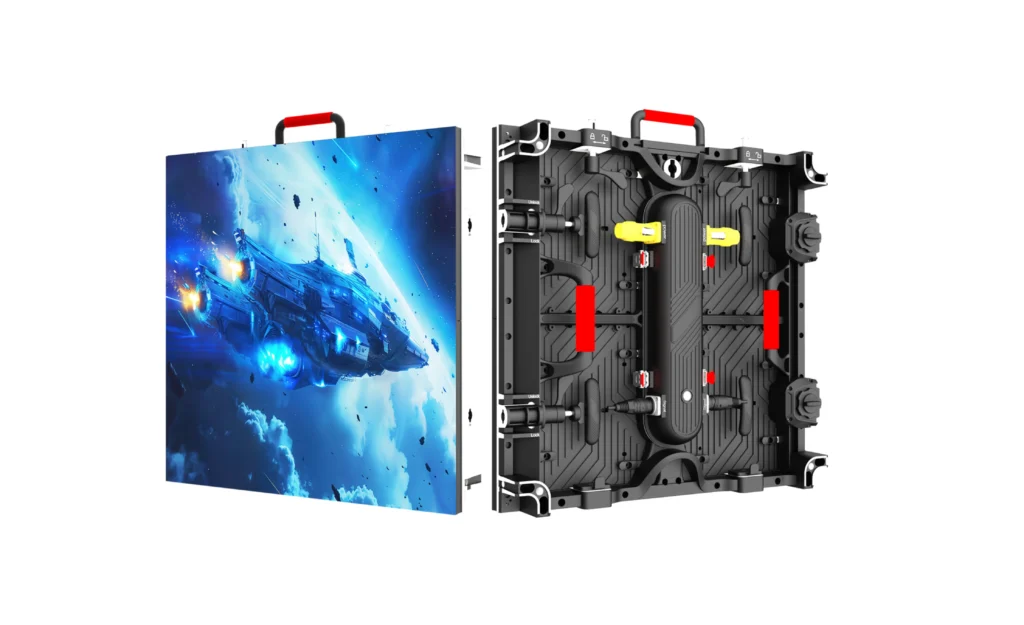
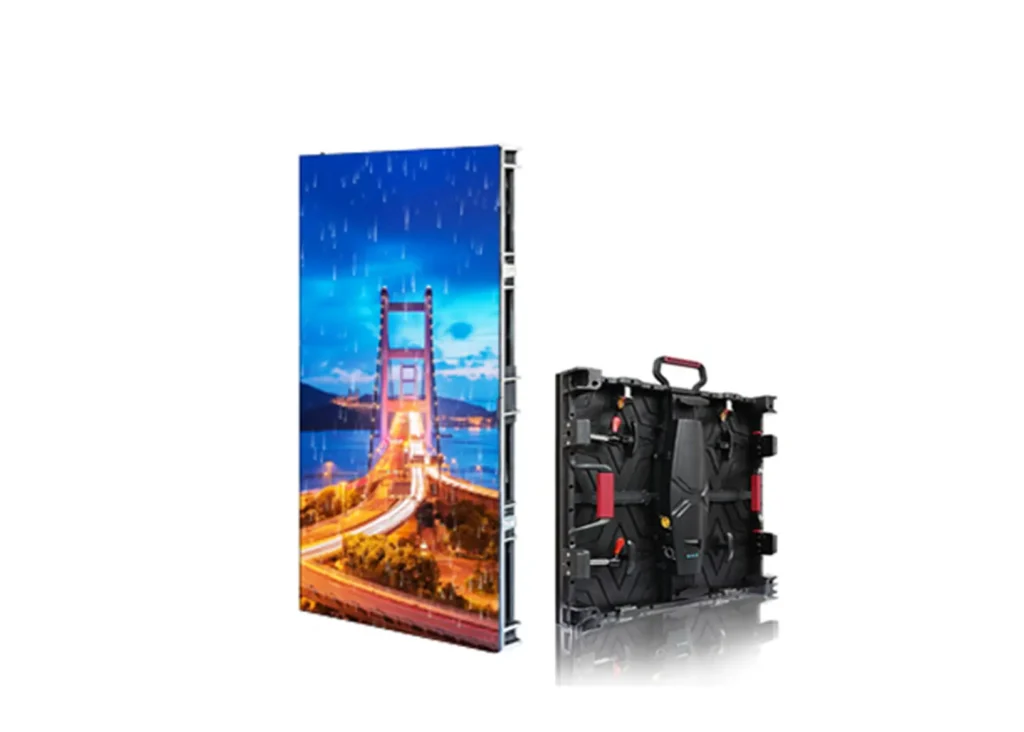
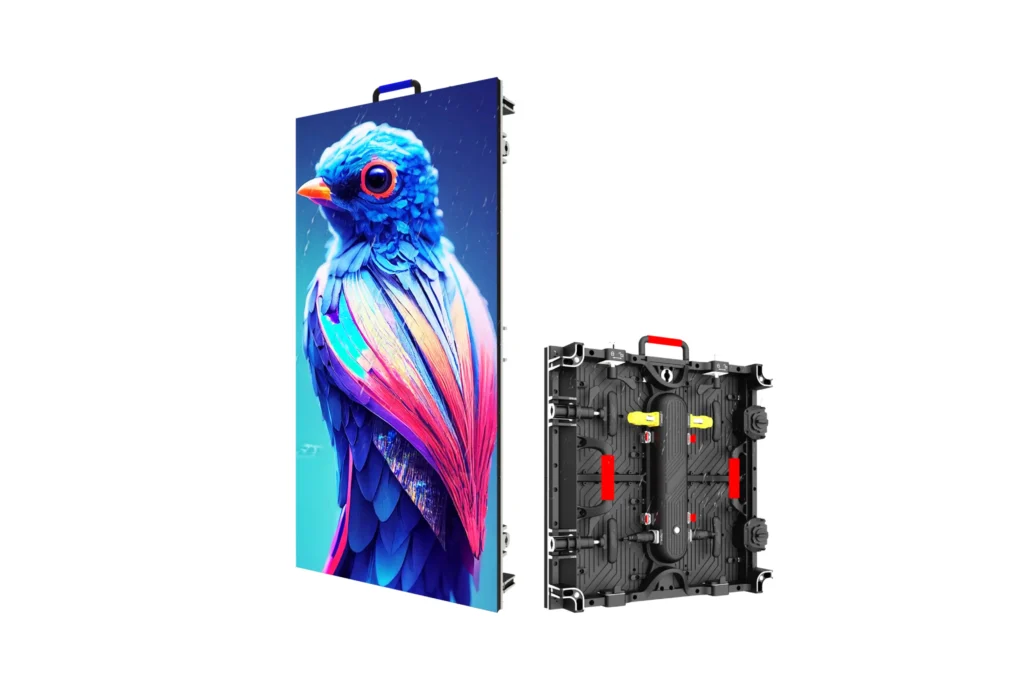
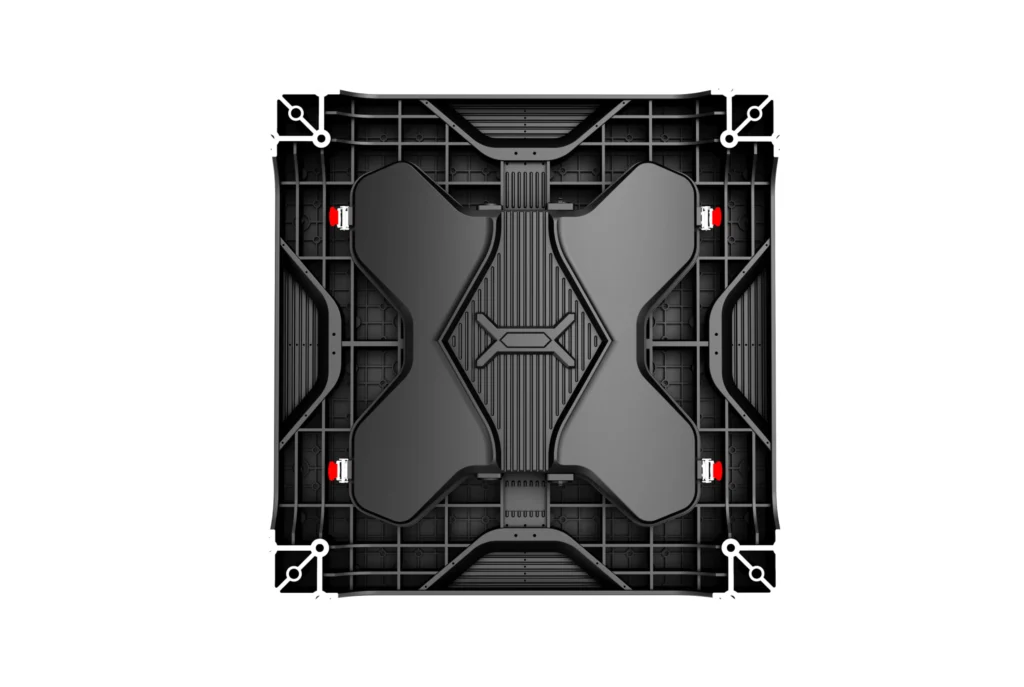
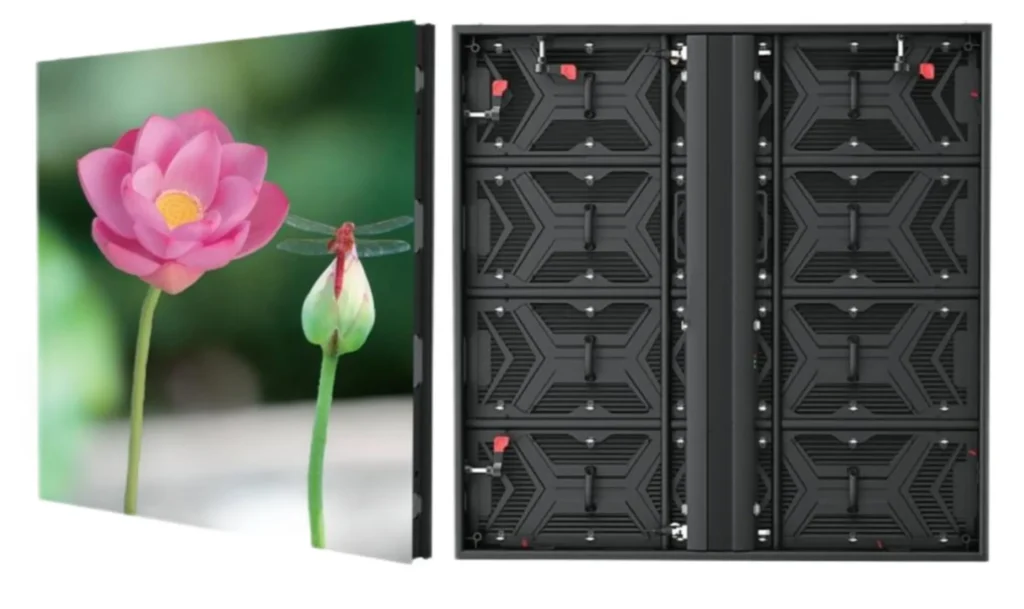
These displays are modular, meaning they are assembled from smaller panels or cabinets that can be configured into various sizes and shapes. This flexibility allows for creative installations, including curved, seamless, or even irregular-shaped screens.
Why Are High Resolution LED Screens So Popular?
The growing popularity of high resolution LED screens can be attributed to advancements in technology, evolving industry needs, and their ability to deliver unparalleled visual experiences.
Following are the main reasons:
High Image Quality
High resolution LED screens offer exceptional image quality with vibrant colors, deep blacks, and wide viewing angles. The high pixel density ensures that even the smallest details are rendered clearly, making them perfect for applications where close-up viewing is common, such as retail stores, control rooms, or broadcast studios.
Simple Installation and Maintenance
Most high resolution LED screens are designed for easy installation and maintenance. Many models feature front-access serviceability, allowing technicians to replace individual modules without dismantling the entire screen.
Compared with traditional LED screens, this simplifies repairs, reduces downtime, and ensures seamless operation in high-traffic environments.
High Refresh Rate for Smooth Motion
Another reason is that the high resolution LED screens come with high refresh rates, typically above 1920Hz. Some is above 3840Hz or 7680Hz.
This eliminates flickering and ensures smooth motion, making them ideal for video playback, live broadcasts, and event presentations. The high refresh rate also enhances the viewer experience by providing stable and flicker-free visuals.
Energy Efficiency and Durability
Energy-saving technology is another reason for their popularity. Despite their high brightness levels, high resolution LED screens consume less power than older systems like LCD or plasma displays.
Typical technologies include common cathode energy-saving technology. With this technology, energy saving can be up to 30% power consumption.
Additionally, they are durable and can withstand prolonged use without performance degradation.
Lighweight Design
High resolution LED displays are lightweight. Their lightweight construction makes them easier to transport and install, especially in venues with weight restrictions.
Golden Ratio Design
The LED displays are also designed with the golden ratio in mind, optimizing cabinet proportions for better aesthetics and space utilization.
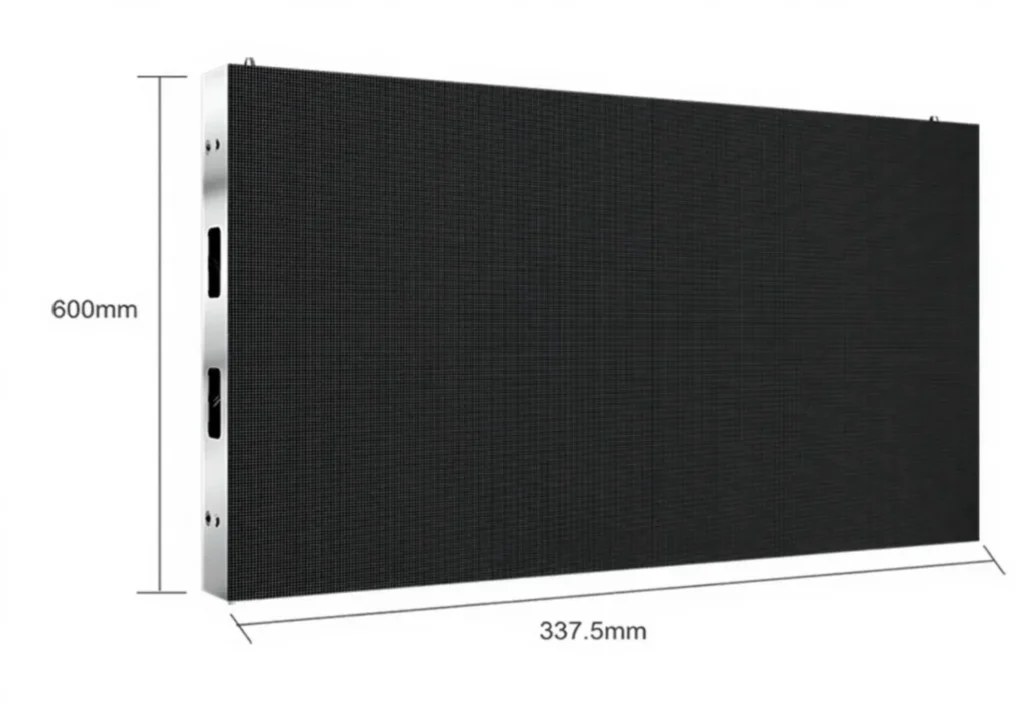
The common cabinet features a 16:9 or 4:3 design. They can easily achieve 4K, 8K, and UHD LED screens. These cabient includes 640*480mm, 600*337.5mm, 320*480mm
Key Technical Requirements
When selecting a high resolution LED display, understanding the technical requirements is crucial to ensure optimal performance and longevity.
Here are some main factors:
Pixel Pitch and Density
Pixel pitch is the distance between the centers of two adjacent pixels and is measured in millimeters (mm). We usually use the letter P plus a number, such as P1.2, P2, P2, P5, etc.
The smaller the pixel pitch, the higher the pixel density, resulting in sharper visuals.
Here is the common pixel pitch and its pixel density.
| Pixel Pitch | LED Resolution |
| P1.25 | 640,000 dots/sqm |
| P1.538 | 422,500 dots/sqm |
| P1.667 | 360,000 dots/sqm |
| P1.86 | 289,444 dots/sqm |
| P2 | 250,000 dots/sqm |
| P2.5 | 160,000 dots/sqm |
| P3.076 | 105,625 dots/sqm |
| P4 | 62,500 dots/sqm |
| P5 | 40,000 dots/sqm |
| P3 | 111,111 dots/sqm |
| P1.953 | 262,144 dots/sqm |
| P2.604 | 147,456 dots/sqm |
| P2.976 | 112,896 dots/sqm |
| P3.91 | 65,536 dots/sqm |
| P4.81 | 43,264 dots/sqm |
| P6 | 27,556 dots/sqm |
| P6.67 | 22,500 dots/sqm |
| P8 | 15,625 dots/sqm |
| P10 | 10,000 dots/sqm |
| P16 | 3,906 dots/sqm |
| P3.33 | 90,000 dots/sqm |
| P5.925 | 28,561 dots/sqm |
Brightness and Contrast
Brightness, measured in nits, determines the screen’s visibility in various lighting conditions.
High resolution LED displays typically offer brightness levels ranging from 800 nits for indoor use to over 5000 nits for outdoor applications.
Contrast ratio, which measures the difference between the darkest and brightest parts of an image, is equally important. A higher contrast ratio ensures vivid and clear visuals.
Refresh Rate
The refresh rate, measured in hertz (Hz), refers to how many times the screen refreshes its image per second.
High resolution LED displays often have refresh rates of 1920Hz or higher, ensuring smooth video playback and eliminating flicker, which is especially important for live broadcasts or when the screen is filmed.
Here are the main refresh rates that affect high resolution LED displays:
- 1920 Hz: Commonly used for standard applications, providing smooth motion for most video content.
- 3840 Hz: Offers enhanced performance, ideal for professional broadcasting and high-speed motion content, reducing flicker significantly.
- 7680 Hz: Designed for ultra-high-end applications, particularly in live events and broadcasting, ensuring flawless motion clarity and minimal latency.
What Makes an LED Display “High Resolution”?
The designation of “high resolution” in LED displays is determined by several factors, with pixel pitch being the most critical.
Generally, there are two factors: Pixel pitch and Pixel Density.
Pixel pitch
A display is considered high resolution when it can present sharp, detailed images even at close viewing distances.
For example, a 1.2mm pixel pitch screen will have significantly higher pixel density than a 4mm screen of the same size, allowing it to display finer details.
Pixel Density
Another crucial factor is the total pixel count, which is calculated as the product of the number of horizontal and vertical pixels (e.g., 1920 x 1080 for Full HD, 3840 x 2160 for 4K).
High-resolution displays aim to match or exceed these standards.
In summary, an LED display is considered high resolution when it combines a small pixel pitch and high pixel density to deliver sharp, detailed, and vibrant visuals suitable for demanding applications.
Resolution Standards for High Resolution LED Displays
Now, you might be wondering: What is the resolution of a high-resolution LED display?
When it comes to high resolution standard, we have to mention the term 2K, 4K, and 8K, which you may know from other LCD screens.
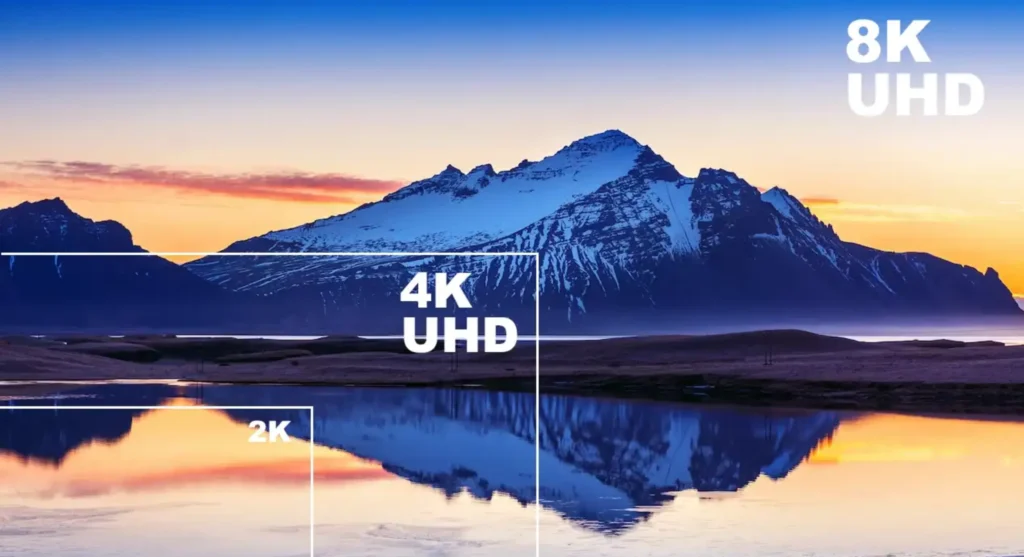
Generally, when an LED display meets the standards of 2K, 4K, and 8K, it is considered a high-resolution LED screen.
Here’s a table summarizing the resolutions for 2K, 4K, and 8K:
| Resolution | Pixel Dimensions | Total Pixels | Common Uses |
| 2K | 2048 x 1080 | ~2.2 million pixels | Digital cinema, church, shopping center, etc |
| 4K | 3840 x 2160 | ~8.3 million pixels | TV Studios, Conference room, stage, museum, exhibition, etc |
| 8K | 7680 x 4320 | ~33.2 million pixels | High-end displays, education, professional media, control room, etc |
Custom Resolutions
Because LED displays are modular, they can be constructed in virtually any size or aspect ratio, resulting in custom resolutions that may not conform to traditional display standards.
For example, a long, thin ticker display may have a resolution of 3840 x 200, while a square video wall might be 2048 x 2048.
Generally speaking, if the pixel density exceeds the 2K standard, the LED display also belongs to the high-resolution LED display.
High Resolution vs. Low Resolution Displays
High resolution and low resolution displays differ significantly in various aspects including pixel density, price, viewing distance, and overall image quality.
Here is a summary table for your reference.
| Aspect | High Resolution Displays | Low Resolution Displays |
| Pixel Density | Higher (e.g., 4K: 3840 x 2160) | Lower (e.g., 1080p: 1920 x 1080) |
| Price | More expensive | More affordable |
| Viewing Distance | Closer viewing without pixelation | Further viewing needed to avoid pixelation |
| Image Quality | Superior detail and color accuracy | Basic clarity, less detail |
| Common Uses | Professional, broadcasting, high-end displays | General use, budget applications |
Different LED Technologies for High Resolution LED Displays
The evolution of LED technology has led to several different packaging and assembly methods, each with its own strengths and applications.
The three most prominent technologies for high resolution LED displays are SMD (Surface Mount Device), GOB (Glue on Board), and COB (Chip on Board).
SMD (Surface Mount Device)
SMD technology involves mounting tiny LED chips directly onto the surface of circuit boards. Each SMD package contains red, green, and blue diodes, allowing for full-color mixing in a compact footprint.
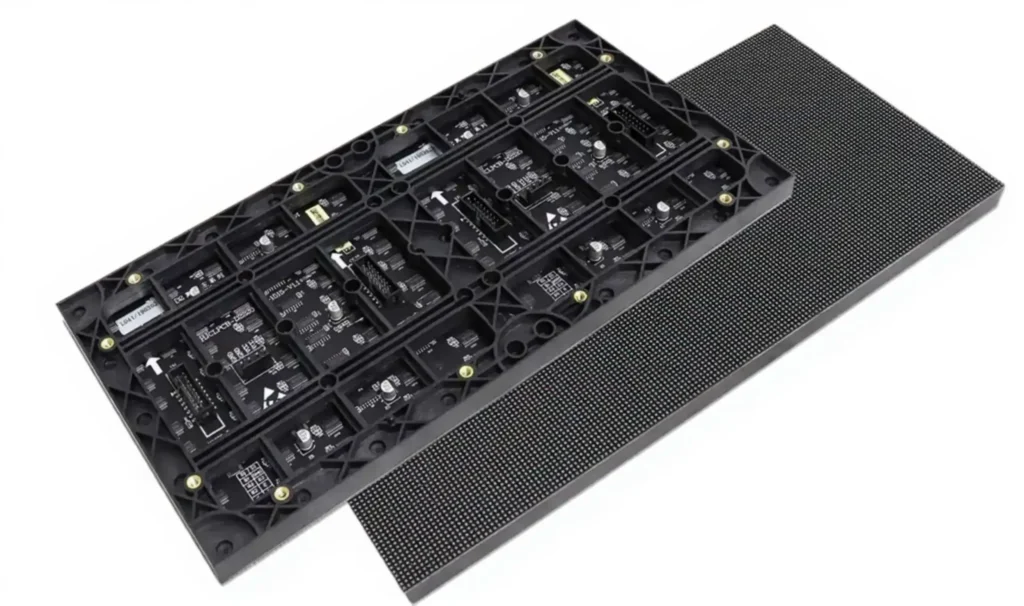
SMD has been the standard for high resolution LED displays due to its ability to achieve small pixel pitches and high brightness levels. SMD modules are relatively easy to produce and repair, making them a popular choice for both indoor and outdoor high-resolution video walls.
GOB (Glue on Board)
GOB technology builds upon SMD by applying a protective layer of transparent epoxy or silicone over the LEDs.
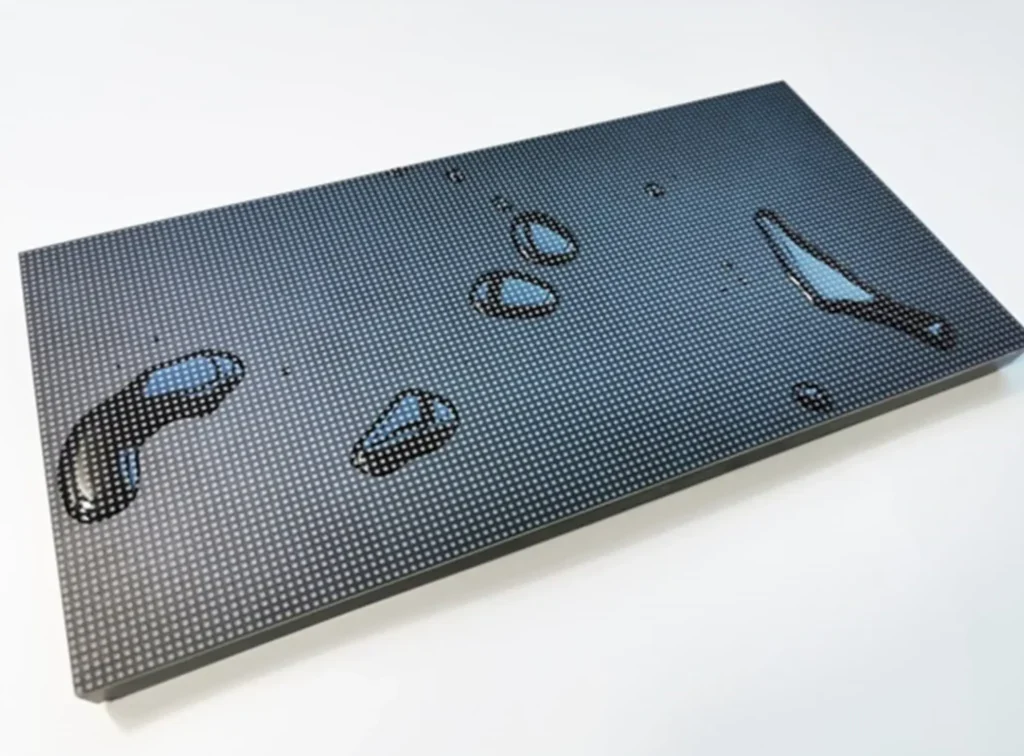
This layer shields the delicate diodes from dust, moisture, and physical impact, significantly enhancing durability and reliability.
GOB displays are ideal for environments where the screen may be touched, bumped, or exposed to harsh conditions, such as retail stores or public spaces.
COB (Chip on Board)
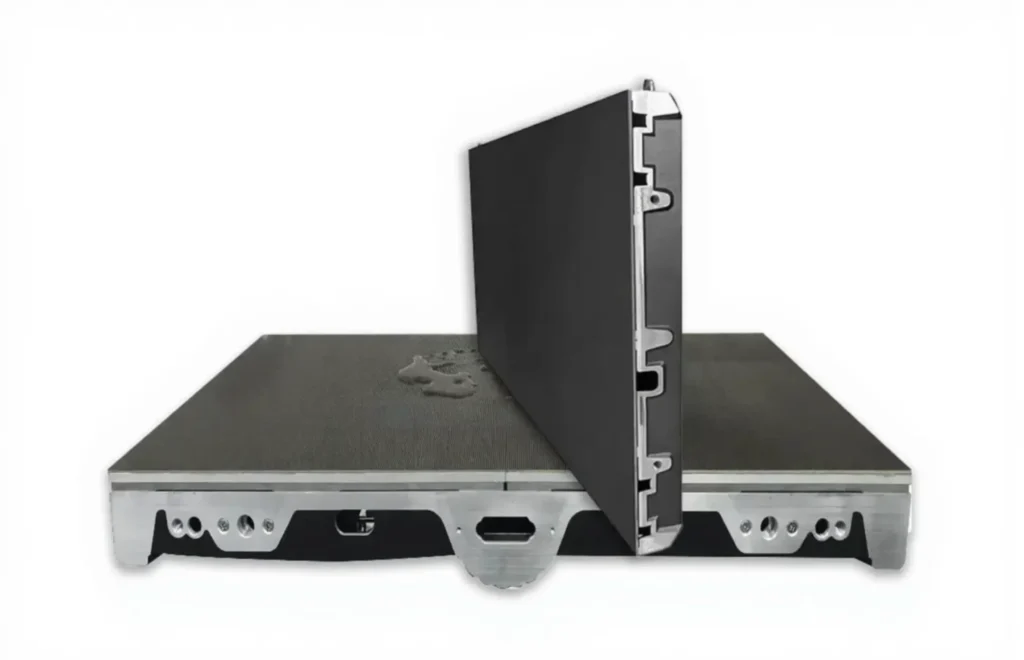
COB takes integration a step further by mounting LED chips directly onto the circuit board without individual packaging. This allows for even tighter pixel pitches, higher reliability, and improved thermal management.
COB displays are particularly well-suited for ultra-high resolution applications where pixel pitch is less than 1mm. The seamless surface also reduces glare and improves viewing angles, making COB an exciting option for the next generation of high resolution LED displays.
| Feature | SMD | GOB | COB |
| LED Mounting | Mounted on PCB surface | SMD with glue coating | Chips bonded directly to PCB |
| Protection | Minimal (exposed) | Glue layer (waterproof, dustproof, anti-collision) | Resin layer (very robust) |
| Maintenance | Easier chip-level repair | Slightly harder due to glue | Hardest (chip-level repair difficult) |
| Display Quality | High, accurate blending | Same as SMD | Higher integration, less glare |
| Durability | Lower | Good | Best (shock, dust, moisture resistant) |
| Cost | Standard | Slightly higher | Often higher |
| Applications | Indoor, outdoor, rental, advertising, general-purpose | Indoor, outdoor, Rental, public,high-traffic areas advertising, etc | High-end, fine-pitch, etc |
Common Pixel Pitch of High Resolution LED Screen
Here is the common pixel pitch used for a high-resolution LED screen:
| Pixel Pitch Category | Pixel Pitch (mm) | Characteristics |
| Ultra Small Pixel Pitch | P0.6 – P1.2, P0.7, P0.9, etc | High pixel density, ideal for close viewing, sharp images |
| Small Pixel Pitch | P1.2 – P1.5, P1.5, P1.6, P1.8, etc | Extremely fine detail, suitable for high-end applications |
| Mid Pixel Pitch | P2 – P2.5 | Balanced clarity and cost, suitable for various environments |
Pricing of High Resolution LED Displays
The pricing of high resolution LED displays is influenced by several factors, including resolution, technology, and features.
Generally, high resolution displays, such as 2K, 4K and 8K, come at a premium compared to lower resolution options like 1K due to the increased number of pixels and advanced technologies required for production.
Why the Price Difference?
- Pixel Density: Higher resolutions require more LEDs and sophisticated processing capabilities, driving up manufacturing costs.
- Technology: Advanced features such as high refresh rates, better color reproduction, and enhanced durability contribute to higher prices.
- Produce Process: High-resolution LED screen needs more complex production steps.
Comparison: 4K vs. 2K
- 4K Resolution (3840 x 2160): Typically priced between $1,500 to $3,000 per square meter due to its high pixel density, which provides exceptional detail and clarity.
- 2K Resolution (2048 x 1080 or 1920 x 1080): Generally more affordable, ranging from $400 to $1,000 per square meter, making it a cost-effective option for applications where ultra-high resolution is not critical.
For more information about 4K LED screens, check this.
| Metric | 2K LED | 4K LED | 8K LED |
| Physical Resolution | 1920×1080 | 3840×2160 | 7680×4320 |
| Total Pixels | 2.07 million | 8.3 million | 33.18 million |
| Price | Low | Medium | High |



Side Walls for Supplementary Viewing
Installing an LED display on one or both side walls allows for additional viewing locations within the room. This is particularly useful in larger spaces or rooms with seating arrangements that may obstruct the main display.
What lt can display:
- Ensures that participants seated off to the sides or further from the main screen can still engage with the content.
- Displays supplementary materials, such as live data feeds, additional slides, or audience-addressed Q&A boards, alongside a primary screen.
- Improves accessibility for large or interactive meeting sessions with wide spaces.

Front and Center of the Main Wall
The most common installation spot for an LED display in a conference room is the front and center of the main wall. This placement ensures all participants can view the screen without obstruction, making it ideal for presentations, video calls, and data visualization.
What It can do:
- Acts as the focal point during meetings, ensuring everyone in the room is attentive to the content being shared.
- Displays crisp, clear visuals for presentations, charts, graphs, and other business materials.
- Serves as the primary screen for hybrid or virtual meetings by displaying remote participants, making collaboration seamless.
- Offers a professional aesthetic and creates an environment of sophistication during client-facing events.

When you think about purchasing an LED display, a common question that often arises is: “What is the optimal viewing distance for this LED display?”. Many users may find it confusing to determine the best viewing distance to ensure a comfortable and clear visual experience.
Whether it’s a blank screen, distorted display, or connectivity issue, understanding the status and functionality of your receiving card is crucial.
Today, we will delve into the topic of LED display viewing distance and share practical calculation methods.
In This Article
- What is Viewing Distance?
- The Importance of Viewing Distance
- Factors Affecting Viewing Distance
- Pixel Pitch and Viewing Distance
- Resolution and Viewing Distance
- Size and Viewing Distance
- LED Viewing Distance of Indoor and Outdoor Displays
- How to Calculate the Viewing Distance of an LED Display
- Practical Application Scenario Analysis
- Conclusion
What is Viewing Distance?
Viewing distance refers to the space between the viewer’s eyes and the LED display. It signifies the proximity required for clear visibility of content without detecting individual pixel structures. At the right viewing distance, viewers can enjoy a sharp image devoid of fatigue or strain.
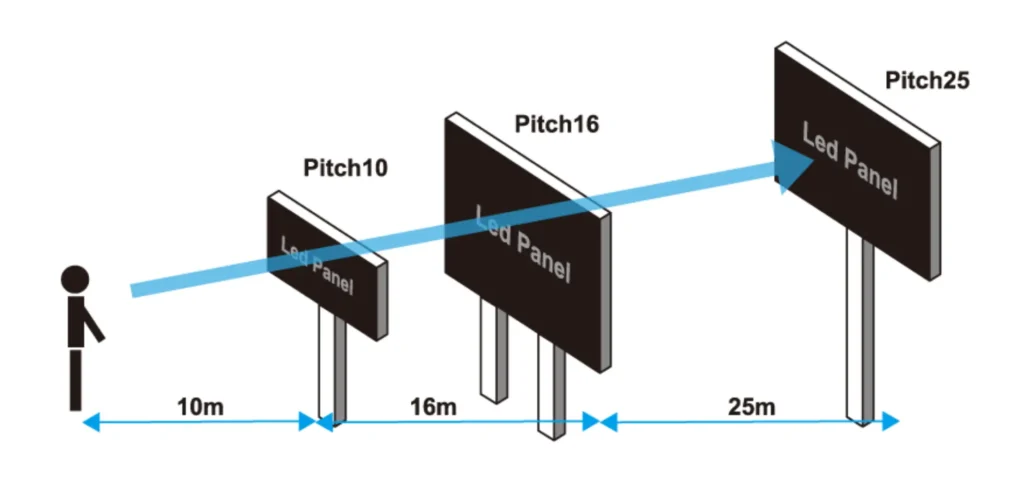
When discussing LED display viewing distance, a minimum value is typically set. This is the shortest distance at which your eyes can adjust and see the image clearly. From there, as long as you can still see the content on the screen, you can move as far away as you like.
Similarly, a maximum value is also set, which is the farthest distance at which your eyes can adjust and see the image clearly. Beyond this value, you may not be able to see the content on the screen clearly.
The Importance of Viewing Distance
Understanding LED viewing distance helps you choose the right LED display for your needs. It can assist in analyzing and determining the optimal display performance such as:
- Selecting the appropriate screen size
- Choosing the ideal pixel pitch for the LED display
- Estimating the best installation height for the LED display
- Providing viewers with a perfect visual experience
To further understand LED viewing distance, you should be able to learn and recognize its relationship with other factors.
Factors Affecting Viewing Distance
Understanding LED viewing distance helps you choose the right LED display for your needs. It can assist in analyzing and determining the optimal display parameters such as:
- Pixel Pitch: This directly determines the pixel density of the screen. The smaller the pixel pitch, the lower the minimum viewing distance, meaning you can view the display more closely.
- Resolution: Higher resolution means richer image details, allowing for a closer viewing distance.
- Size: The size of the LED display affects the viewing distance. Larger LED screens have a higher viewing distance, while smaller LED screens have a lower viewing distance.
Pixel Pitch and Viewing Distance
Pixel pitch refers to the distance between two adjacent pixels on an LED display, usually represented as “P” followed by a number, such as P4, indicating a pixel pitch of 4 millimeters.
Pixel pitch has a direct impact on LED viewing distance. The larger the pixel pitch, the greater the minimum viewing distance, meaning you need to maintain a sufficient distance to view the display comfortably. When choosing pixel pitch, you need to consider the installation location of the display and the distance of the viewing audience to ensure the display provides a perfect visual experience without distortion.
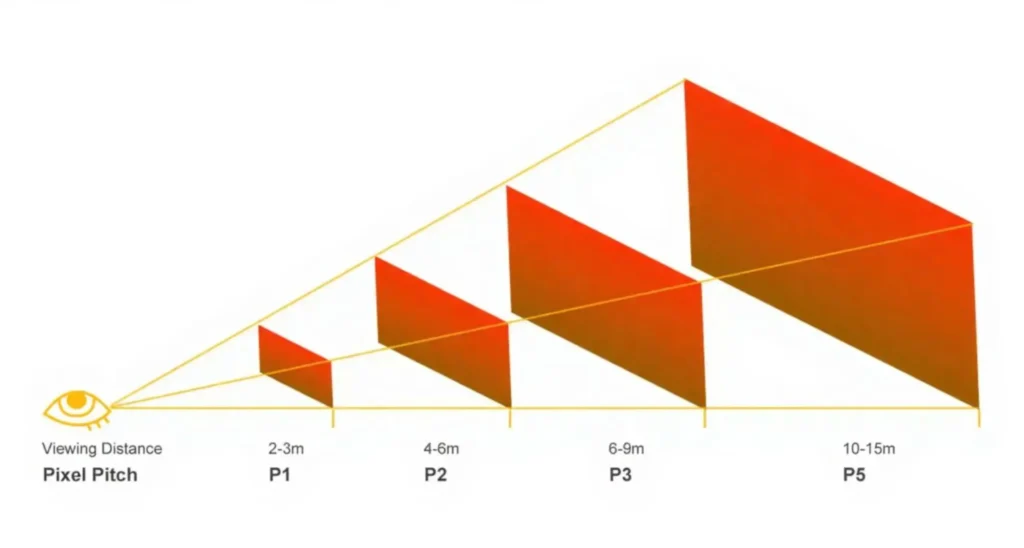
The relationship between pixel pitch and viewing distance can be approximated using the following formulas:
- Minimum viewing distance = Pixel pitch x 1000
- Optimal viewing distance = Pixel pitch x 2000 ~ Pixel pitch x 3000
- Maximum viewing distance = Pixel pitch x 30000
For example, if you have a P3 LED display, the optimal viewing distance is approximately 3 to 9 meters. This means that within this distance range, you can obtain a clear image and a comfortable visual experience. Conversely, if the minimum distance from the installation location to the viewing audience is about 5 meters, you should choose a pixel pitch of P5 or smaller, such as P4, P3, etc.
Here is a summary table for your reference, showing various pixel pitches and their suitable viewing distances:
Pixel Pitch for Viewing Distance
| Pixel Pitch | Minimum Viewing Distance | Optimal Viewing Distance | Maximum viewing distance |
| P1.25 mm | 1.25 m (4.1ft) | 2.5 to 3.75 m (8.2ft to 12.3ft) | 38m (127.4 ft) |
| P1.5 mm | 1.5 m (4.9ft) | 3 to 4.5 m (9.8ft to 14.8ft) | 45m (147.6 ft) |
| P1.86 mm | 1.86 m (6.1ft) | 3.7 to 5.6 m (12.1ft to 18.4ft) | 56m (183.7 ft) |
| P2 mm | 2 m (6.6ft) | 4 to 6 m (13.1ft to 19.7ft) | 60m (196.9 ft) |
| P2.5 mm | 2.5 m (8.2ft) | 5 to 7.5 m (16.4ft to 24.6ft) | 75m (246.1 ft) |
| P3 mm | 3 m (9.8ft) | 6 to 9 m (19.7ft to 29.5ft) | 90m (295.3 ft) |
| P3.91 mm | 3.91 m (13ft) | 7.8 to 11.7 m (19.5ft to 29.1ft) | 117m (291 ft) |
| P4 mm | 4 m (13.1ft) | 8 to 12 m (26.2ft to 39.4ft) | 120m (393.7 ft) |
| P5 mm | 5 m (16.4ft) | 10 to 15 m (32.8ft to 49.2ft) | 150m (492.1 ft) |
| P6 mm | 6 m (19.7ft) | 12 to 18 m (39.4ft to 59.1ft) | 180m (590.6 ft) |
| P8 mm | 8 m (26.2ft) | 16 to 24 m (52.5ft to 78.7ft) | 240m (787.4 ft) |
| P10 mm | 10 m (32.8ft) | 20 to 30 m (65.6ft to 98.4ft) | 300m (984.1 ft) |
| P16 mm | 16 m (52.5ft) | 32 to 48 m (105ft to 157.5ft) | 480m (1574.8 ft) |
| P20 mm | 20 m (65.6ft) | 40 to 60 m (131ft to 197ft) | 600m (1969 ft) |
As shown in the table, pixel pitch usually represents the minimum viewing distance, such as P3, with a minimum viewing distance of 3 meters, and P10, with a minimum viewing distance of 10 meters.
Resolution and Viewing Distance
Resolution is typically determined by pixel pitch. Therefore, lower resolution means larger pixel pitch, resulting in a greater minimum viewing distance.
For instance, a display with a 1K resolution has a higher minimum viewing distance compared to a display with a 2K resolution. Similarly, a display with a 4K resolution has a higher minimum viewing distance compared to a display with an 8K resolution, and so on.
Size and Viewing Distance
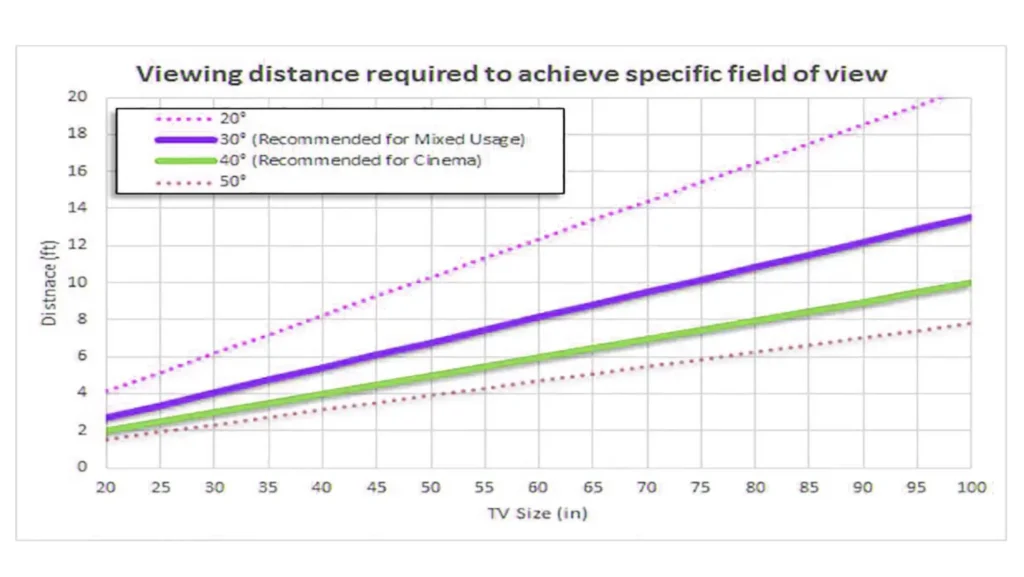
A screen’s physical size also influences how far viewers should be positioned:
- Smaller Screens: Closer viewing distance
- Larger Screens: Requires further viewing distance
LED Viewing Distance of Indoor and Outdoor Displays
Outdoor and indoor screens differ significantly due to their viewing environments. Outdoor screens typically have a larger pixel pitch due to the greater average viewing distance, often necessitated by broader audience fields.
Conversely, indoor screens benefit from smaller pitches since viewers are usually closer, needing finer detail and higher resolution for clear imaging.
How to Calculate the Viewing Distance of an LED Display
As mentioned above, pixel pitch has a direct impact on the viewing distance of a display. To estimate the LED viewing distance of a display, the first thing you need to do is understand the pixel pitch. Once you have the pixel pitch of your display, you can follow these steps to estimate the viewing distance:
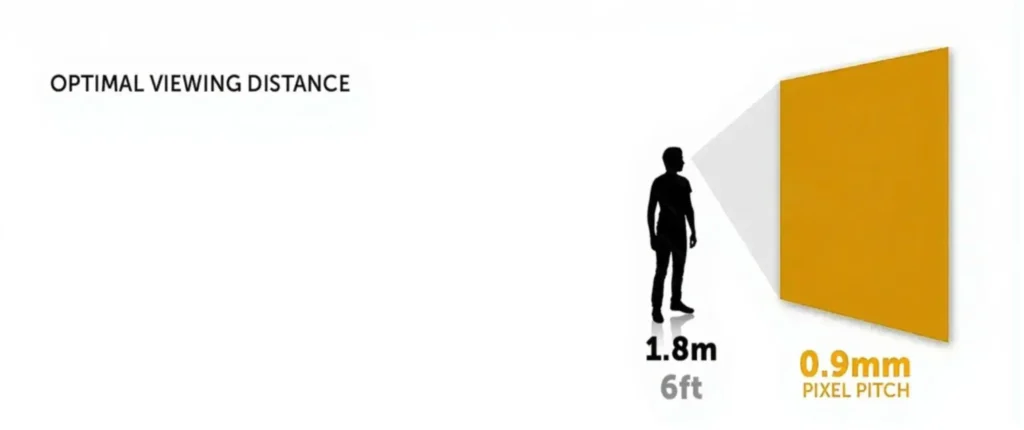
A simple and practical formula: LED viewing distance = (LED pixel pitch x 1000) to (LED pixel pitch x 3000) (unit: millimeters).
- Convert the pixel pitch from millimeters to meters (e.g., P2, i.e., 2mm converted to 2m).
- Multiply the result by 2 – this is the minimum optimal LED viewing distance (2m x 2 = 4 meters).
- Multiply the result by 3 – this is the maximum viewing distance of the LED display (2 x 3 = 6 meters).
- If you want the viewing distance in feet, multiply the result by 3. For example, the minimum viewing distance for P2 is 4 x 3 = 6 feet, and the maximum viewing distance is 6 x 3 = 18 feet.
Practical Application Scenario Analysis
- Conference Rooms and Training Venues: P1.2-P2 LED screens are suitable for medium-sized conference rooms, with a viewing distance of about 1.2 to 2 meters, ensuring clarity and facilitating interactive communication.
- Control Rooms and Command Centers: P0.9-P0.7 level screens require extremely high precision, with a viewing distance of less than 1 meter, ensuring operators can accurately identify every detail on the screen.
- Retail and Exhibition Displays: P2.0-P2 is suitable for large exhibition spaces, with a viewing distance of 1 to 2 meters, meeting both distant attraction and close-up needs.
- Indoor Stores and Stages: P2.5-P5 is suitable for large spaces, with a viewing distance of 2.5 to 5 meters, meeting both distant attraction and close-up needs.
- Outdoor Billboards: For open and distant installation locations, use P6, P8, P10, etc., with a viewing distance of over 6 meters, meeting distant attraction needs.
- Theaters and Studios: Ultra-high-definition displays below P1.5, with audience seating distances typically over 4 meters, but front-row viewers may need smaller pixel pitch screens for the best experience.
Conclusion
To achieve the best viewing experience, it is recommended to consider factors such as pixel pitch, resolution, size, and ambient lighting conditions when calculating the viewing distance of an LED display. You can also use relevant formulas for estimation and make adjustments to ensure a comfortable viewing experience.
Additionally, you can refer to pixel pitch and viewing distance tables to quickly analyze the appropriate pixel pitch (based on the determined display and viewing distance) or approximate installation distance (based on the determined pixel pitch). For further assistance with the viewing distance, consider contacting us.